For a long time, I opened Google Search Console, looked at the graph, felt good or bad for about ten seconds, and closed the tab. I was looking at numbers without knowing which ones meant anything.
That is how most bloggers use it. The dashboard is free and full of data, but nobody tells you which numbers are KPIs and which are just noise. So you end up checking everything, understanding little, and reacting to the wrong things.
This post narrows it down. Here is what I track, why, and what I stopped looking at.
What Are SEO KPIs for a Blogger?
What is a KPI in SEO?
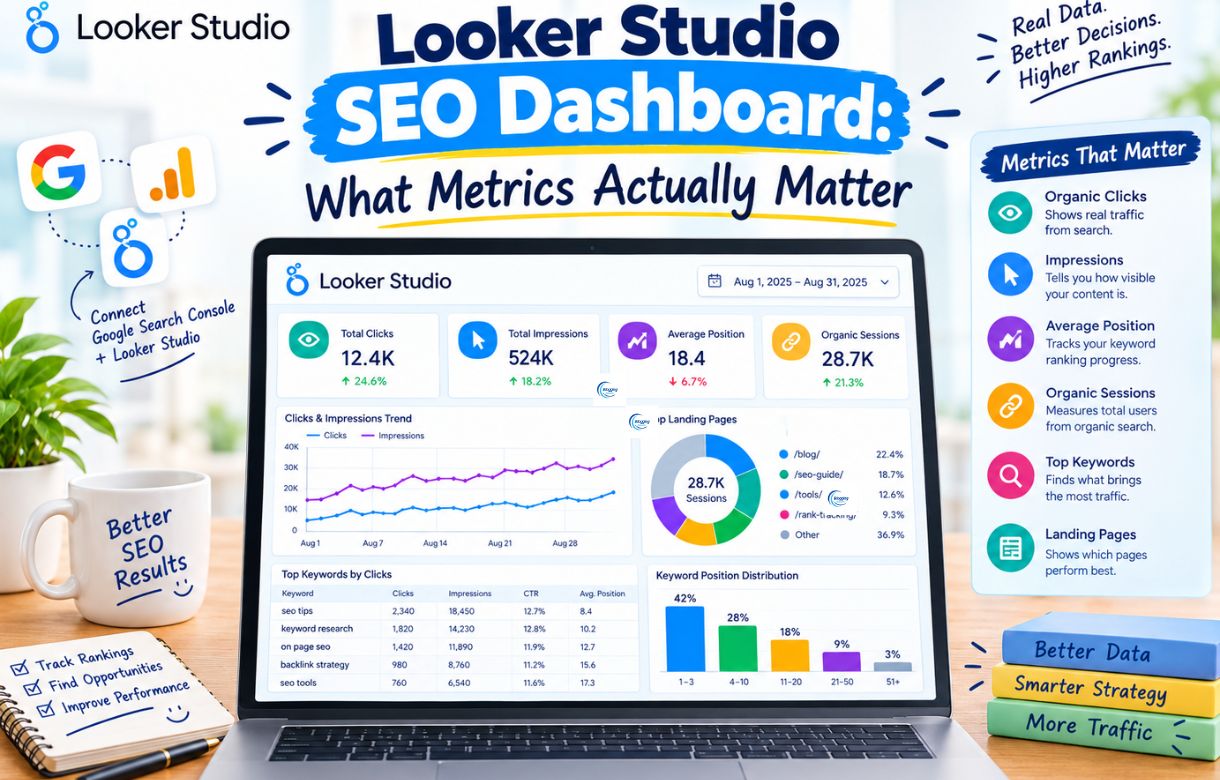
A KPI (key performance indicator) in SEO is a measurable number that shows whether your search strategy is moving toward a specific goal. For a blogger, the main SEO KPIs are organic clicks, impressions, click-through rate, average position, and indexed pages, all tracked in Google Search Console.
How is a KPI different from a metric?
A KPI (key performance indicator) is a number you track because it tells you whether you are getting closer to a goal. A metric is just a number. A KPI is a metric you act on.
What questions should an SEO KPI answer?
For a blogger, the goal is usually simple: more of the right people finding your posts through search. So a useful SEO KPI answers one of three questions. Is Google finding and indexing my pages? Are people seeing them? Are people clicking?
If a number doesn’t help you answer one of those, or tell you what to fix next, it is a metric, not a KPI.
Why Do Most Bloggers Track the Wrong Numbers?
Because the easy numbers are the loud ones. Total impressions, a daily rank, a domain score from a third-party tool. They are easy to find and easy to screenshot, and they rarely tell you what to do on Monday morning.
I learned this the hard way. Some of my early pages sat at positions 4 to 6 and I felt fine about it. Then they slipped, and I had no idea when it started because I had never tracked the trend. I only noticed once the traffic was already gone. If you want to find out why a page stops ranking, start with why your blog is not ranking on Google, but the habit that would have saved me is simpler: track a few numbers on a schedule.
Which Search Console KPIs Should You Track?
You don’t need many. These are the ones I would keep.
Why Do Clicks Matter Most?
Clicks are the closest thing Search Console gives you to a result. Someone searched, saw your page, and chose it. Everything else in the report is a step toward this number.
Watch the trend, not the single day. Compare the last 28 days with the previous 28 days, and compare against the same period last year if your site is old enough, since many topics are seasonal.
Are Impressions Worth Tracking?
Impressions tell you how often your pages appeared in search results. On their own they don’t mean much, because a page can be shown a thousand times at position 60 and never be seen by anyone.
What matters is the direction, and impressions paired with clicks. Rising impressions with flat clicks usually means Google is testing your page for new queries but your title or position isn’t winning the click yet. That is an opportunity, not a problem.
How Do You Use CTR to Find Weak Titles?
CTR is clicks divided by impressions. It is useful in one specific way: finding pages that rank decently but get ignored.
In the Performance report, filter to a single page and look at its queries. If a page sits in the top 10 and its CTR is far below what you would expect for that position, the title and meta description are probably the weak point. That is one of the cheapest fixes in SEO, because you don’t need to rewrite the post.
Don’t compare CTR across different kinds of queries. A branded search and a broad informational search will never behave the same way.
Can You Trust Average Position?
Average position is helpful, but it is also the most misread number in the report. It is an average across every query and every impression, so one page ranking for hundreds of queries gets one blended number.
A better habit is to check position at the page and query level. Open a single post, look at the queries it ranks for, and see which ones sit between positions 8 and 20. Those are the posts and keywords closest to a real traffic jump, and they are the ones worth improving first.
How Do You Check If Your Posts Are Indexed?
A post that isn’t indexed can’t rank, and this is the KPI most new bloggers skip.
Open the Page indexing report and compare the number of indexed pages with the number of pages you actually want indexed. If a new post is stuck in “Crawled, currently not indexed” or “Discovered, currently not indexed”, that tells you the problem is upstream of ranking, and no amount of keyword work will fix it.
I ran into this when pages on my own site would not get indexed, and part of the cause turned out to be a broken sitemap. The sitemap file was returning a 404 and I hadn’t noticed. A quick look at the sitemap report would have caught it much sooner. If you are new to these reports, my guide to Google Search Console for beginners walks through where everything lives.
Do Core Web Vitals and Server Response Time Matter?
These are less glamorous, but they affect how reliably Google can crawl you and how usable your pages feel.
The Core Web Vitals report shows whether your URLs are rated good, needs improvement, or poor. It only shows data once your site has enough real-world traffic, so a very small blog may see little there. The Crawl stats report, under Settings, shows average response time. When mine averaged around 760 ms on a weak shared hosting plan and every Core Web Vitals group was red, that was a clear sign the problem was infrastructure, not content.
You don’t need to obsess over these. Check them monthly and act only when something turns red.
What Should You Ignore?
This part matters as much as the list above, because attention is limited.
- Daily ranking changes. Positions bounce around from day to day, especially for newer pages. Look at weeks, not days.
- Total impressions as a success score. It feels good when it climbs, but it doesn’t pay anyone. Clicks do.
- Total keyword count. Ranking for 2,000 queries at position 80 is not an achievement.
- Third-party authority scores. Tools that give your site a score out of 100 are estimating, and Google doesn’t use those numbers. They can be a rough comparison tool, but they are not a KPI for your own progress.
- One-off spikes. A single viral day from a news mention or a social share says little about whether your SEO is working.
- Chasing one position. Moving from position 3 to 2 on a keyword nobody searches changes nothing.
How Often Should You Check Search Console?
For most solo bloggers, a short monthly review plus a quick weekly look is plenty. Checking daily mostly produces anxiety.
A routine that works for me and keeps it under thirty minutes:
- Compare the last 28 days with the previous 28 days for clicks and impressions.
- List the pages that gained or lost the most clicks, and open the biggest losers first.
- Find pages with high impressions and low CTR, and rewrite their titles and descriptions.
- Find queries sitting at positions 8 to 20 and decide which posts deserve a refresh.
- Check the Page indexing report for new problems.
- Glance at Core Web Vitals and Crawl stats.
The last step in that loop connects to your content refresh work. If you don’t have a process for updating older posts yet, my content refresh strategy post covers what to change and when.
What Is a Good Benchmark for a New Blog?
There is no universal number, and anyone who hands you one is guessing. A brand new site will have almost no data for the first few weeks, and search traffic usually builds slowly.
A more useful target is trend-based. Are indexed pages growing as you publish? Are impressions rising month over month? Are clicks following, even slowly? Those three together tell you the site is moving in the right direction, even when the absolute numbers are small.
FAQ
What is the most important SEO KPI for a blog?
Clicks from organic search, because they are the outcome. Impressions, position, and CTR help you understand why clicks go up or down, but clicks are what you are trying to grow.
Is average position in Search Console accurate?
It is accurate as an average, but misleading as a single number. It blends every query a page appears for, so use it at the page and query level instead of looking at the site-wide figure.
How long does it take for SEO KPIs to improve?
It varies by site, topic, and competition, but new content often takes weeks or months before it shows steady results. Judge progress over months, not days.
Do I need Google Analytics for SEO KPIs?
Not to start. Search Console covers the SEO side: indexing, impressions, clicks, and queries. Analytics becomes useful later, when you want to understand what visitors do after they land.
Should I track keyword rankings with a paid tool?
It is optional. For a small blog, Search Console’s query data is usually enough to find opportunities. A paid rank tracker becomes more worthwhile once you have specific keywords you want to monitor closely.
The Short Version
Track clicks, impressions, CTR, page-level position, indexed pages, and basic site health. Ignore daily swings, vanity totals, and scores that Google doesn’t use.
If you’re not sure where to start, pick one habit: a monthly 28-day comparison. It takes ten minutes, and it would have saved me months of not noticing what was happening to my own pages. For the bigger picture of how these numbers fit into a full plan, see the SEO roadmap for beginners.