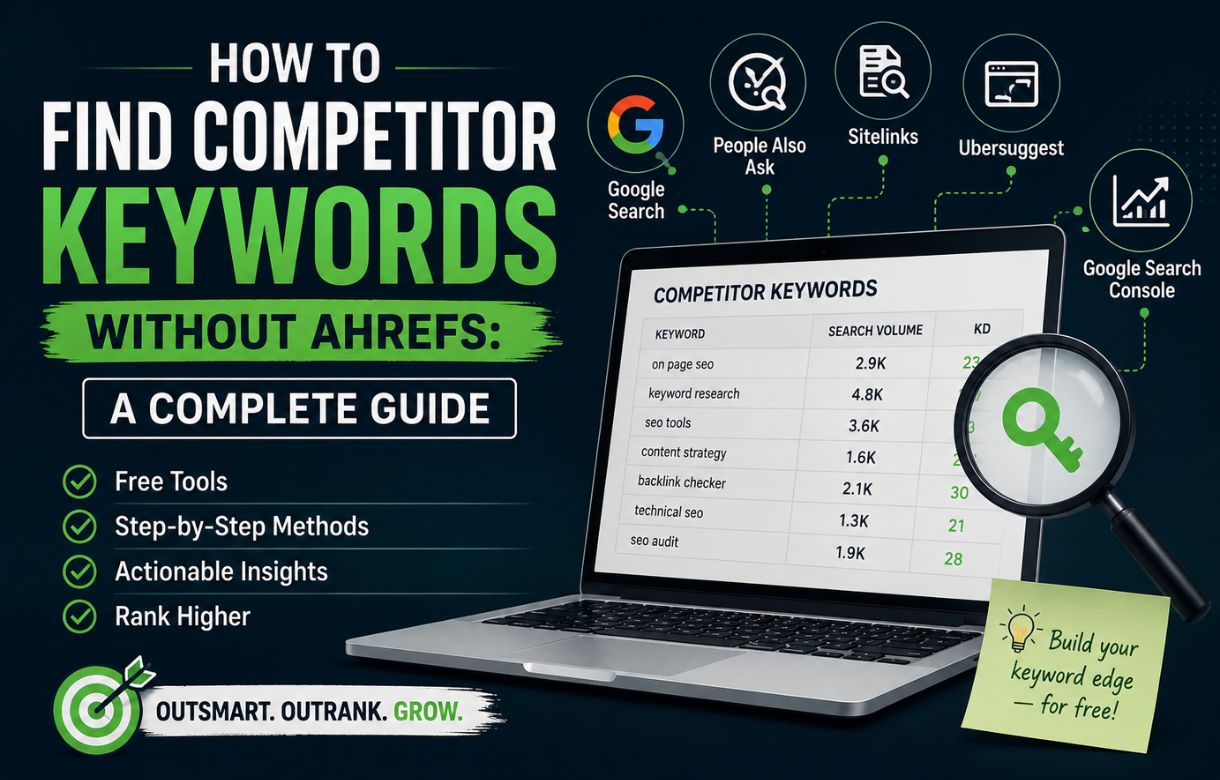
Not every marketer has an Ahrefs subscription — and the truth is, you don’t need one to uncover what keywords your competitors are ranking for. With the right mix of free tools, manual research techniques, and a bit of patience, you can build a solid competitor keyword list using resources you probably already have access to.
This guide walks through practical, no-cost methods to reverse-engineer competitor SEO strategy: Google Search, free Chrome extensions, Search Console insights, and manual SERP analysis.
If you’re new to keyword research in general, it’s worth first reading Keyword Research for Beginners to get the fundamentals down before diving into competitor-specific tactics.
1. Start With Google Search Itself
Google Search is the most underrated competitor research tool available, and it’s completely free.
Use Search Operators
Search operators let you dig into a competitor’s site structure and content strategy directly from the search bar:
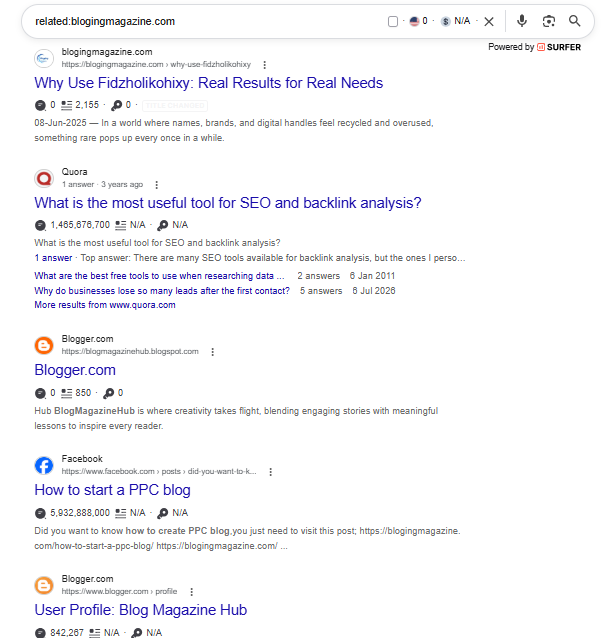
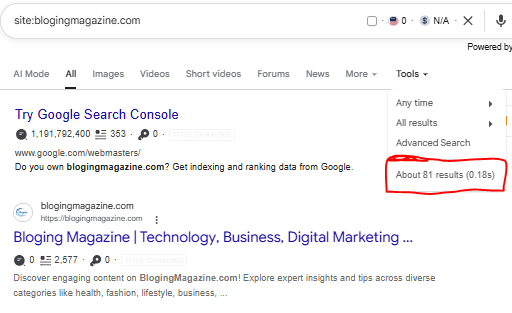
site:competitor.com— Shows every page Google has indexed for that domain. Skim titles and URLs to spot topic clusters and keyword themes.site:competitor.com "keyword"— Confirms whether a competitor has content targeting a specific keyword.site:competitor.com intitle:"keyword"— Narrows results to pages where the keyword appears in the title tag, which is a strong ranking signal.related:competitor.com— Surfaces other sites Google considers similar, expanding your competitor list.
Here, are the screenshots that helps you to understand how to works,
When you search “related:blogingmagazine.com”. this shows how and at which plate forms your compititos participates.
By searching,” site:compititors site” for example ” site:blogingmagazine.com” you got your compititor’s top ranked and indexed pages. These results narrow down your search and . For example this site has 81 indexed pages.
Study Autocomplete and “People Also Ask”
Type your competitor’s core topics into Google and pay attention to:
- Autocomplete suggestions — these reflect real, high-volume queries.
- “People Also Ask” boxes — a goldmine of related, long-tail questions your competitor may already be targeting (or missing).
- Related searches at the bottom of the page — often reveal semantic keyword variations.
Reverse-Engineer Meta Titles and Descriptions
Search your competitor’s brand name plus a topic (e.g., “CompetitorName pricing guide”) and read how they’ve written their title tags and meta descriptions. These are often keyword-optimized and give clues about their primary and secondary target terms.
If you run a blog specifically, this manual approach pairs well with a more structured process — see Keyword Research for a Blog for a blog-focused workflow.
2. Leverage Free Chrome Extensions
A handful of free Chrome extensions can turn your browser into a lightweight keyword research tool, letting you see data directly on the SERP or on competitor pages.
Some widely used free (or freemium) options include:
- Keywords Everywhere (limited free credits) — Displays search volume, CPC, and related keywords right inside Google search results.
- Detailed SEO Extension — Shows on-page elements like title tags, meta descriptions, headings, and word count for any page you visit, helping you see exactly which keywords a competitor is targeting on-page.
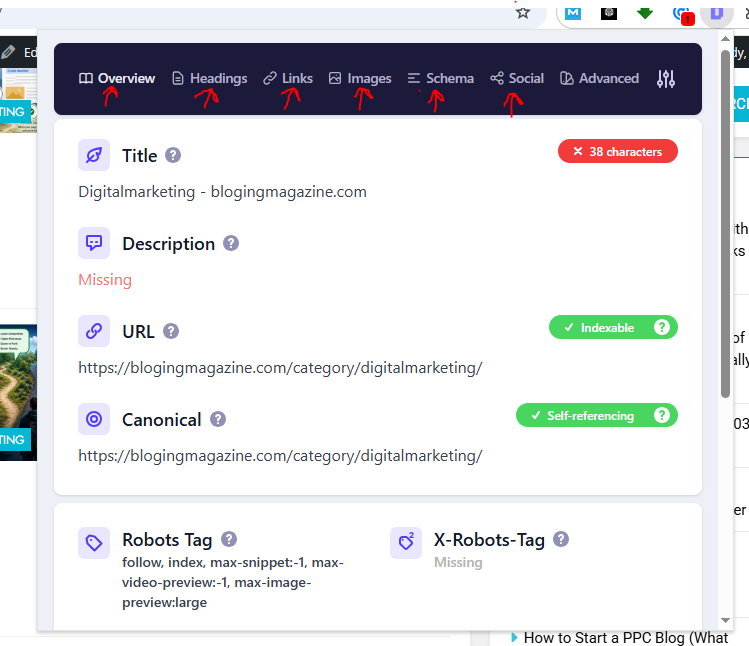
- SEOquake — Provides quick on-page SEO audits, keyword density checks, and internal/external link counts.
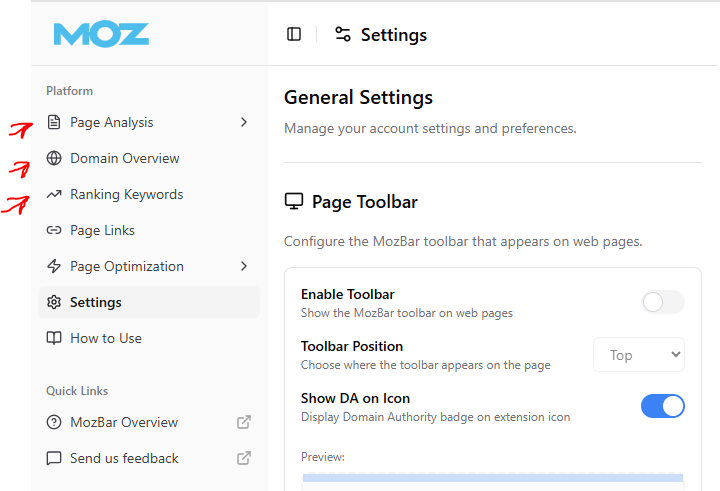
- MozBar (free version) — Offers domain authority and page authority metrics alongside SERP results, useful for judging how competitive a keyword might be.
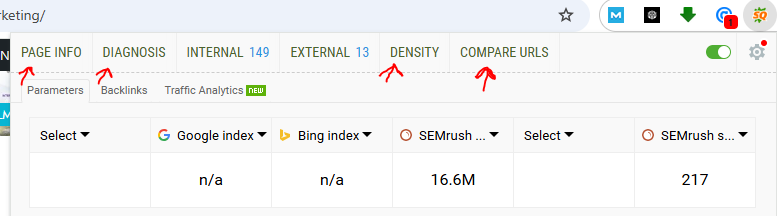
- Ubersuggest Extension — Gives limited free keyword volume and difficulty data directly on Google’s results page.
How to use them effectively:
- Install two or three extensions rather than relying on just one, since free tiers often cap data.
- Visit competitor pages directly and check the on-page SEO panel for target keywords in headings and title tags.
- Run searches for your core topics and note which competitor pages appear, along with the keyword metrics the extension surfaces.
3. Mine Google Search Console for Insights
If you’re only using Search Console for your own site, you’re missing half its value. While it won’t show competitor data directly, it reveals critical context that shapes your competitive keyword strategy.
What to Look For
- Queries where you rank on page 2–3 — These are keywords competitors are likely outranking you for. Cross-reference them with a
site:search to see which competitor pages appear above yours. - Impressions vs. clicks — High impressions with low click-through rate often signal that a competitor’s result (with a better title or featured snippet) is winning the click.
- Pages losing rankings over time — Check the Performance report with a date comparison. A steady decline often coincides with a competitor publishing stronger content on the same topic.
Practical Workflow
- Open Search Console → Performance report.
- Filter by query and sort by impressions.
- For each high-impression, low-position query, search it manually in Google.
- Identify which competitors occupy the top spots and study their content structure.
This method won’t hand you a competitor’s full keyword list, but it tells you exactly which battles are worth fighting.
4. Do a Manual SERP Analysis
This is the most time-intensive method, but it’s also the most accurate way to understand what’s actually working for competitors right now, since it reflects live Google rankings rather than modeled data.
Step-by-Step Process
- List your core seed topics — the main themes your business competes on.
- Search each topic in Google (use incognito mode to avoid personalized results).
- Record the top 10 ranking pages for each query, noting which competitors show up repeatedly across multiple searches — these are your real organic competitors, which may differ from your assumed business competitors.
- Analyze each ranking page for:
- Title tag and H1 structure
- Keyword placement in headings and first 100 words
- Content length and depth
- Use of FAQs, tables, lists, or schema markup (rich snippets)
- Internal linking patterns
- Check “Searches related to” and “People Also Ask” on each results page to build out a secondary keyword list.
- Track patterns across queries — if the same competitor consistently ranks for a cluster of related terms, they likely have a dedicated content hub or pillar page worth studying.
Build a Simple Tracking Sheet
Create a spreadsheet with columns for: Seed Keyword, Ranking Competitor, Position, Title Tag, Content Format, and Notes. Over a few weeks, this becomes a genuinely useful competitive keyword map, built entirely by hand.
Putting It All Together
No single free method replaces the depth of a paid tool like Ahrefs, but combined, these four approaches cover most of the same ground:
| Method | Best For |
|---|---|
| Google Search operators | Finding indexed pages and exact keyword targeting |
| Free Chrome extensions | Quick on-page keyword and metric checks while browsing |
| Search Console insights | Identifying where you’re losing to competitors on your own tracked queries |
| Manual SERP analysis | Understanding real-time ranking factors and content strategy |
Used together on a regular schedule (weekly or monthly), these methods build a surprisingly complete picture of competitor keyword strategy — without spending a dollar on paid SEO software.
Once you’ve gathered your competitor keyword list, the next step is fitting it into a broader strategy. The SEO Roadmap for Beginners walks through how to prioritize and act on findings like these.
FAQs
What is competitor keyword analysis?
Competitor keyword analysis is the process of identifying the search terms your competitors rank for or bid on, so you can find content gaps, prioritize high-value topics, and shape your own SEO or PPC strategy around proven demand.
What are competitor keywords?
Competitor keywords are the search queries that a rival business ranks for organically or targets through paid ads. They show you what topics and terms are already driving traffic or conversions in your niche.
What are competitor keywords in Google Ads?
These are the keywords a competitor is actively bidding on in their paid search campaigns. You can get a sense of them by searching your industry’s core terms and noting which brands consistently show up in the “Sponsored” results.
How does Google Keyword Planner help with competitor research?
Google Keyword Planner (free with a Google Ads account) shows search volume, competition level, and related keyword suggestions. While it won’t name specific competitors, you can enter a competitor’s likely target terms or even their URL to see volume and related keyword ideas they may be targeting.