URL Encoder Spellmistake: The Confusion Nobody Really Talks About
You’ve seen those %20 codes in your browser bar. But do you know what happens when a typo sneaks in before encoding? Let’s sort it out — plainly.
Nobody warns you about this when you first start working with URLs. You paste your text into an encoder, hit the button — and something feels off. Maybe the typo is still there. Maybe the link still breaks. Here’s exactly why that happens, and how to stop it.
01 So What Is URL Encoding, Actually?
Picture URLs like a passport. When you cross an international border, your passport has to follow strict rules — the right format, the right fields, nothing unusual. URLs work the same way. They travel across browsers, email systems, servers, and APIs — and every one of those systems has rules about which characters are acceptable.
Here’s the core problem: the characters we use naturally in writing — spaces, question marks, slashes, symbols like & and @ — mean something specific inside a URL structure. A space makes a server think the URL ends there. An ampersand signals “here comes a new parameter.” A slash reads as a path separator.
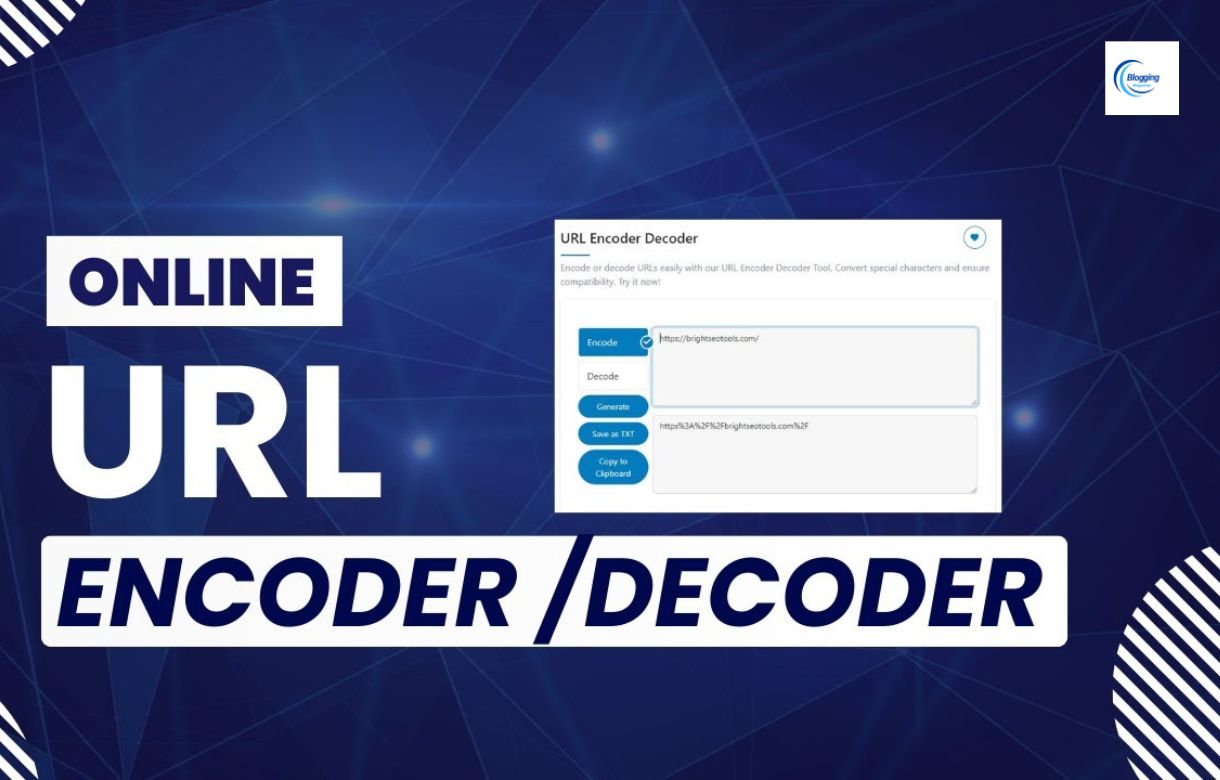
URL encoding handles this elegantly. It swaps out any “unsafe” character for a percent sign followed by its two-digit hexadecimal code. Clean, universal, and every system reads it the same way.
| Character | What It Is | Encoded Form |
|---|---|---|
| Space | The blank gap between words | %20 |
| & | Ampersand | %26 |
| @ | At symbol | %40 |
| # | Hash / pound | %23 |
| / | Forward slash | %2F |
| ? | Question mark | %3F |
| = | Equals sign | %3D |
| : | Colon | %3A |
So when someone searches for “digital marketing trends 2026”, the URL that gets built looks like this:
https://example.com/search?q=digital%20marketing%20trends%202026
Those %20 bits are just spaces in disguise. Every browser, email client, and API on the planet knows how to read them.
02 Where “SpellMistake” Enters the Picture
Here’s the moment where a lot of people — including smart, experienced ones — trip up.
When you hear “URL Encoder Spellmistake,” it sounds like a tool that corrects spelling errors in your URLs. The logic feels reasonable: you’ve got a typo in a URL, you drop it into an encoder, and it comes out fixed. Right?
Wrong — and here’s why it matters
A URL encoder has exactly one job: convert characters into percent-encoded format. It does not read your text, understand its meaning, or check whether your words are spelled correctly. A typo that goes in comes out — just formatted differently.
Let’s make it concrete. Say someone types “best coffe shop near me” — notice the missing ‘e’ in coffee. Run that through a URL encoder and here’s the output:
best%20coffe%20shop%20near%20me
The spaces got encoded. The typo? Still very much there. Packaged and shipped, mistake included.
03 Why Does This Confusion Keep Happening?
Honestly? Modern software has made us expect magic. Type in Google Docs and it fixes your spelling mid-word. Search Google with a typo and it guesses what you actually meant. Use Grammarly and it rewrites your whole sentence. We’ve been trained to expect our tools to compensate for human error.
So when we encounter a URL encoder, we carry those expectations with us. But encoders were built before smart autocorrect was a thing, and they haven’t changed their purpose since. They’re laser-focused on one narrow, technical task — and that’s what makes them reliable.
There’s also a subtler reason the confusion spreads. Some online tools are labeled in misleading ways — names that suggest capabilities the tool doesn’t actually have. “URL Encoder Spellmistake” can easily sound like a combined tool rather than a simple encoder associated with a platform called Spellmistake.
The bottom line
Spellmistake is a web tool platform. Their URL encoder is a legitimate encoding tool — solid, fast, and straightforward. But like all encoders, it formats characters. Proofreading is still on you.
You might enjoy
The Hidden Rule: Why “Lake Texoma Should Be Capitalized” Isn’t Just Grammar
04 Why Spelling Still Matters Before You Encode
You might be thinking — okay, a small typo in a URL, how bad can it really be? Actually, it can cause some very specific and very frustrating problems:
Broken page routes. If your URL path says /contatc-us instead of /contact-us, the server will return a 404. No encoder in the world changes that. The destination simply doesn’t exist at that address.
Search visibility.** Google is smart, but clean URLs help. A well-structured URL with correct words gives search engines clear signals about page content. Misspelled slugs dilute that signal and can hurt your rankings over time.
Trust — the silent one. Users notice more than we give them credit for. A visible typo in a shared link, even something small, chips away at the sense that whoever sent it is careful and professional.
Analytics headaches. If you’re using UTM parameters to track campaigns and one parameter is misspelled, your analytics dashboard will treat it as a different, separate campaign. You’ll spend hours trying to figure out why the numbers don’t add up.
05 The Right Order of Operations
Once you understand the distinction, the correct workflow becomes obvious. It’s just two steps that have to happen in the right order:
Check your spelling first
Before touching any encoder, read over your text. Use a spell checker if you’re unsure. If it’s a URL slug, verify the words match the actual page. Fix any issues while the text is still in plain, readable form.
Then encode
Once you’re confident the content is correct, run it through the Spellmistake URL encoder. It’ll handle all the percent-encoding automatically and output something that works cleanly across every system.
Test before you share
Paste the encoded URL into a browser and confirm it loads the right page. Takes five seconds. Saves you from broken links in emails, campaigns, or published posts.
06 Real Situations Where This Comes Up
This isn’t just theory. URL encoding — and the mistakes around it — show up in real work all the time.
Email campaigns
Links in marketing emails often carry UTM parameters with spaces and symbols. Encoding ensures those links survive email clients and arrive intact at the destination.
API requests
Passing parameters to third-party APIs almost always requires encoding. Special characters in unencoded form will break the request silently or throw cryptic errors.
SEO audits
Google Search Console and analytics tools show encoded URLs in reports. Decoding them reveals what they actually say and helps you spot duplicate or broken pages.
Non-English content
Arabic, Chinese, French, and other scripts all require encoding. The word “café” becomes caf%C3%A9 — encoding makes it universally transmissible.
Form submissions
When someone fills out a search form or contact page, browsers encode that input automatically. Understanding this helps debug form behavior and server-side parsing issues.
Dynamic URLs
Building pages that pull content from parameters? Any variable data — user names, search terms, categories — needs encoding before it goes into the URL string.
You might enjoy
Pyntekvister — The Nordic Art of Decorative Branches
07 Double Encoding — The Silent Link Killer
There’s one specific mistake worth calling out on its own, because it’s surprisingly easy to do and genuinely hard to debug afterwards.
Double encoding happens when you encode something that’s already been encoded. Say you have %20 representing a space. If you run that through the encoder again, the % character gets encoded as %25, and your space becomes %2520. Now the link is broken — and it’s not immediately obvious why.
Before encoding, check this
If your text already contains percent signs followed by two characters (like %20 or %3F), it’s probably already encoded. Don’t encode it again. Start fresh with the decoded version, or use a decoder first to get back to the original text.
08 One More Thing: Encoding Isn’t Privacy
A common misconception worth clearing up quickly: encoding your URL does not hide the data inside it. Anyone who sees the URL can paste it into a decoder — or even read the percent codes directly — and get the original text back instantly.
If you’re handling passwords, tokens, user data, or anything sensitive, please don’t put it in a URL and assume encoding makes it safe. Use POST requests over HTTPS. Use authentication headers. Encoding is purely a formatting tool — not a security layer.
09 Quick Questions, Straight Answers
Can a URL encoder on Spellmistake fix my spelling mistakes?
No. It encodes characters into percent format — it doesn’t read or correct the words. Whatever you type in comes out exactly as written, just encoded. Fix typos before encoding.
What character gets encoded most often?
The space, without question. It becomes %20 and appears in virtually every URL that contains natural language or user input.
Does encoding work the same across Python, JavaScript, PHP, Java?
Yes. They all follow the same percent-encoding standard. A space is %20 everywhere. The function names differ, but the output is identical.
Does an encoded URL hide the information inside it?
Not at all. Anyone can decode it in seconds. Encoding is for safe transmission, not privacy. Sensitive data should stay out of URLs entirely.
What if I encode a URL that’s already encoded?
You’ll get double encoding — %20 becomes %2520 — and the URL will break. Always start from plain, unencoded text. When in doubt, decode first, then re-encode.
Proofread first. Encode second. Test always.
URL Encoder Spellmistake isn’t a magic tool that catches your errors — and honestly, that’s fine. Once you understand the boundary between formatting and proofreading, working with URLs becomes a lot less mysterious. Get the words right, then let the encoder do its job.