I used to think growth meant one thing: publish more. Every week, a new post. Every month, a new keyword conquered. That’s the mindset I had when I first built out my SEO roadmap for beginners, and honestly, for a while, it worked.
Then the plateau hit.
Traffic stopped climbing even though I kept hitting publish. New posts took months to gain any traction, while a handful of my oldest, half-forgotten articles were quietly sitting on page two, doing nothing. That’s when I started paying attention to something most beginner SEO advice skips entirely: refreshing what you already have.
What Is a Content Refresh, Really?
A content refresh isn’t just changing “2023” to “2026” at the top of a post and calling it a day. I’ve made that mistake before, and Google isn’t fooled by it — a date swap without real substance behind it doesn’t move rankings.
A real content refresh means going back into a page that already has some history — some impressions, some rankings, some data behind it — and making it genuinely better. That could mean updating outdated stats, answering questions the post never addressed, restructuring it to match how people actually search now, or tightening up internal links so it connects properly to your newer content.
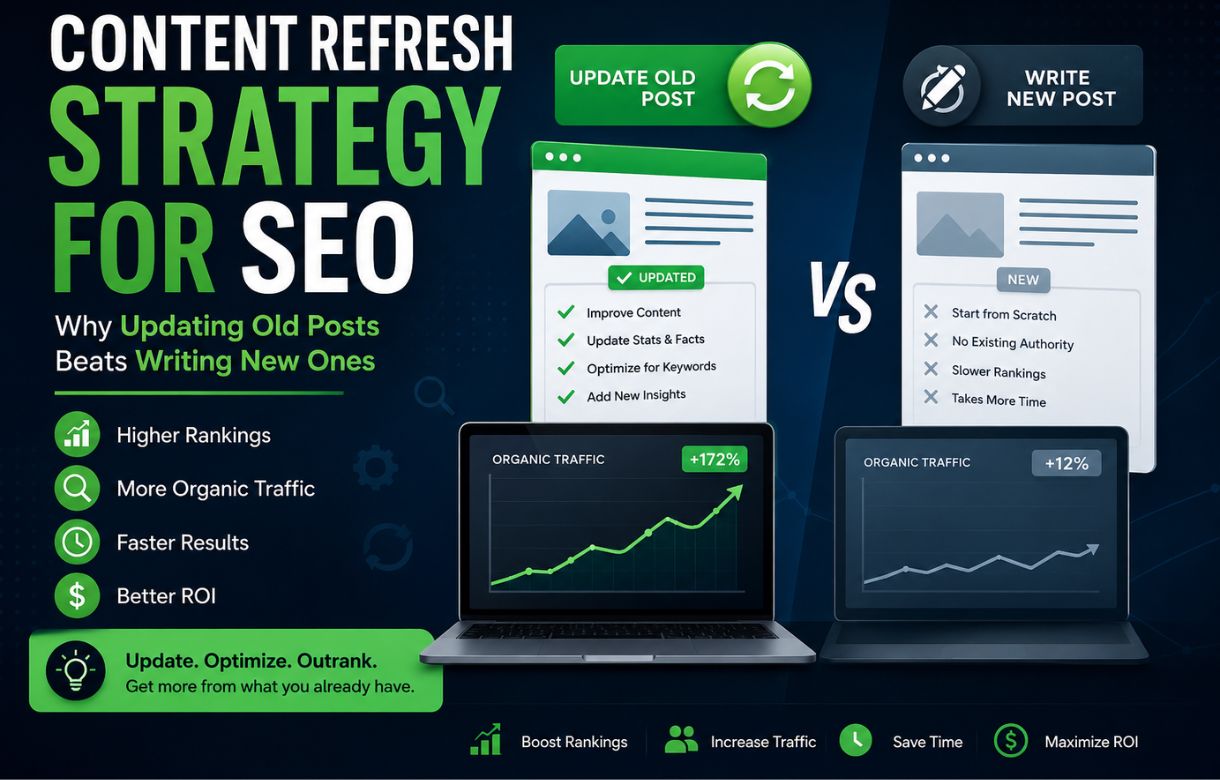
The advantage over writing something brand new is simple: you’re not starting from zero. Google already knows the page exists. It already has some trust built up. You’re not fighting for a first crawl — you’re improving something that’s already in the race.
Why Does Refreshing Old Content Work Better Than I Expected?
When I started digging into my own Search Console data, I found pages ranking in positions 11 through 20 — right on the edge of page one — that I had completely forgotten about. These weren’t bad posts. They just hadn’t been touched since I wrote them, back when my understanding of on-page structure was a lot shakier than it is after building out my on-page SEO fundamentals.
A small nudge on pages like that tends to produce a bigger, faster return than a new post starting from position zero. New content has to earn trust from scratch. Refreshed content just has to catch up to where search intent has moved.
There’s also a compounding effect I didn’t expect. Once I started refreshing older posts, I noticed some of them naturally needed links to newer clusters I’d built since — like my keyword research guide or my Google Search Console walkthrough. Fixing that internal linking gap alone seemed to help both the old post and the new one.
How Do I Find Which Posts Actually Need Refreshing?
I don’t refresh everything. That would just burn time on pages that don’t matter. Here’s what I actually look for:
Posts with impressions but weak clicks. If Search Console shows a page getting seen but rarely clicked, that usually means the title or meta description isn’t matching what people expect — an easy, low-effort fix.
Posts ranking positions 8 through 20. These are close enough to page one that even a modest improvement can push them over the edge. I treat this range as my priority list before anything else.
Posts where the topic has clearly moved on. SEO itself is a good example — what people wanted to know about it two years ago isn’t quite what they’re asking now. If a post still reads like it was written for an older version of the conversation, it needs updating regardless of its current ranking.
Posts that never got proper internal links. Some of my earliest writing, back when I was covering everything from digital PR to smaller topic clusters like my piece on building small content clusters, was published before I had a real linking strategy. Going back and connecting those older posts into my current architecture has been one of the simplest wins available.
What Should I Actually Change During a Refresh?
I try to avoid vague, surface-level edits. Here’s what tends to make a real difference:
Adding the questions people are actually asking now, especially anything showing up in the “People Also Ask” box for that keyword — these often make natural, direct-question H3 subheadings, which is a structure I lean on across the site anyway.
Checking whether the top-ranking pages for that keyword have changed format. If competitors have shifted toward listicles or comparison posts and your page is still a long-form how-to, that mismatch alone can be holding you back.
Tightening internal links both ways — linking out from the old post to newer, more developed content, and linking into it from newer posts where it’s genuinely relevant. This is the same discipline I apply to every new article I publish, just applied backward.
Replacing outdated examples, screenshots, or stats with current ones. Readers notice when a screenshot clearly doesn’t match what a tool looks like anymore, and so does Google’s sense of how trustworthy and current the page is.
Isn’t This Just Slower Than Writing New Content?
It can feel that way at first, since a refresh takes real editing time, not just quick swaps. But when I compare the two honestly: a brand new post might take weeks to get indexed, longer to rank, and even longer to build any real authority. A refreshed post that already ranks in the teens can sometimes move within days to a few weeks of a solid update, because Google doesn’t need to re-evaluate trust from scratch — just re-crawl and re-rank.
I still write new content regularly. My image optimization work and technical SEO posts are proof I haven’t stopped expanding. But refreshing isn’t a replacement for new content — it’s a parallel track that often pays off faster.
How Often Should I Be Refreshing Content?
I don’t run this on a rigid monthly schedule. Instead, I check Search Console every few weeks for pages that have dropped in position or impressions compared to a few months earlier — that decline is usually the clearest signal that something needs attention before it fades off page one entirely.
For pillar content especially, like my SEO roadmap, I treat refreshing as an ongoing responsibility, not a one-time task. Pillar pages hold up the rest of a cluster, so letting one quietly decay can drag down everything linked to it.
What About Content That Doesn’t Deserve a Refresh?
Not every old post is worth saving. I recently found a leftover piece from my site’s earlier, more scattered content era — completely unrelated to blogging or SEO, picking up a small trickle of irrelevant impressions that had nothing to do with my current audience.
My first instinct was to fix it up like everything else. But a refresh only makes sense when the topic still belongs on your site. This one didn’t. Updating it would have meant investing time into content that actively worked against the identity I’m building now, just to keep a handful of mismatched impressions that were never going to convert into anything.
So instead of refreshing it, I removed it and requested removal through Search Console to speed up delisting. That’s the distinction I’d point out to anyone starting this process: a content refresh is for pages whose topic still fits, but whose execution has fallen behind. If the topic itself doesn’t belong anymore, deletion — not an update — is the right call.
Frequently Asked Questions
Does a content refresh hurt my existing rankings?
Not if you’re improving genuine relevance and depth rather than just cosmetic changes. A poorly done refresh — one that strips out content readers relied on, or changes the topic focus without reason — can hurt. A thoughtful one, focused on real gaps, generally helps.
How do I know if a post needs a refresh instead of just deleting it?
If it still has impressions and relevant search intent, refresh it. If it’s genuinely off-topic for where your site is headed now, or getting no search visibility at all, that’s a case for removal or a redirect instead.
Do I need a paid SEO tool to do this properly?
Do I need a paid SEO tool to do this properly?
Not at the start. Search Console alone can show you impressions, clicks, and average position by page — enough to identify your first refresh candidates. Paid tools help you go deeper on competitor comparisons later, but they’re not required to begin.
Should I change the publish date when I refresh a post?
I update it to reflect the real edit, but only alongside substantial changes. Changing the date without meaningfully improving the content is the kind of shortcut that doesn’t hold up.