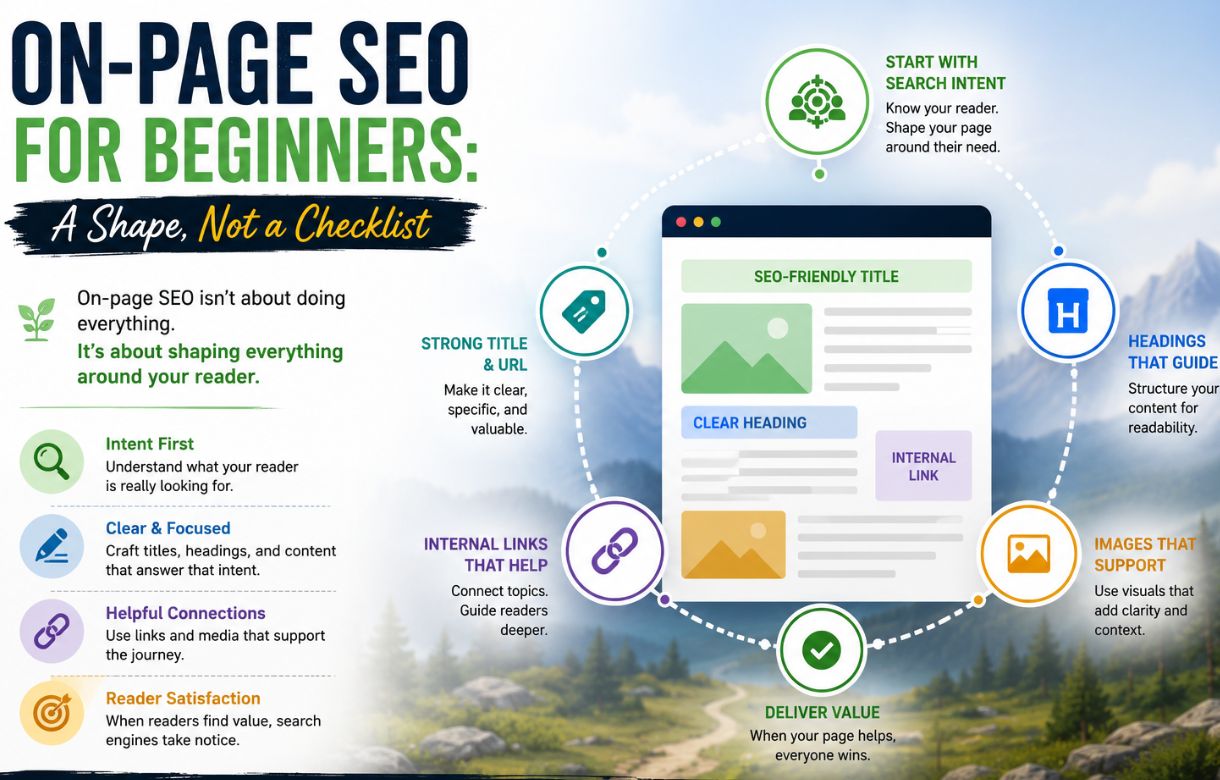
Most on-page SEO guides turn into a checklist — keyword in the title, keyword in the first paragraph, keyword in the alt text, repeat. Follow it closely enough, and the result reads like it was optimized after the fact, because it was. On-page SEO works better as a shape the writing follows from the start than as a list of boxes to tick once a draft is already finished.
This post is part of the same SEO roadmap for beginners series as the earlier guides on Search Console and keyword research — the next piece of the same walkthrough, not a standalone detour.
What actually counts as on-page SEO?
Everything on the page itself that helps a reader and a search engine understand what it’s about — the title, the headings, the structure of the answer, where the keyword naturally sits inside all of that.
It’s worth separating this clearly from technical SEO (site speed, crawlability, structured data) and off-page SEO (backlinks, mentions elsewhere). On-page is the part entirely within your control on any given article, which is exactly why it’s the right place for a beginner to focus first — there’s no dependency on anyone else’s decisions.
How do you write a title that works for both Google and a reader?
Lead with the specific thing someone typed, not a clever framing of it.
A title that’s accurate but vague — “Getting Started with SEO” — tells a search engine less than a title that names the actual question — “How to Set Up Google Search Console for a New Site.” The second version also does more work in the search result itself: it tells a scanning reader in half a second whether this page answers their exact question, which is what actually earns the click, not just the ranking.
This is also the one place where the Search Console feedback loop matters most directly. A title can rank in a solid position and still get a weak click-through rate if it doesn’t read as an obvious answer to the query — and that’s visible, concretely, once a page has enough impressions in Search Console to check.
How should headings be structured for featured snippets?
Key Facts: On-Page SEO for Beginners
-
Title: lead with the exact question
A specific title beats a clever one. It tells both the reader and the search engine exactly what the page answers.
-
Headings: phrase as direct questions
A heading like “What is X?” followed by an immediate answer is what featured snippets are built to grab.
-
Keyword placement: three spots, not every sentence
Title, one early heading, and the opening paragraph carry the load. After that, related terms matter more than repetition.
-
Overoptimization is visible before it’s penalized
Readers notice stiff, keyword-bent sentences first. If it sounds written for a crawler, rewrite it.
-
Length follows depth, not the other way around
A complete 800-word answer beats a padded 2,000-word one. Internal links count as on-page SEO too.
Phrase the H3 as close to the actual question as possible, then answer it in the first sentence or two that follow.
“What is a content cluster?” as a heading, followed immediately by a direct, complete-sentence answer, gives Google something clean to lift into a snippet. A heading like “Understanding Content Clusters,” followed by three paragraphs of scene-setting before the actual definition, gives it nothing to grab. The direct-question format isn’t a stylistic quirk — it mirrors how people actually phrase searches, and it matches what a snippet algorithm is built to extract.
Where does the keyword actually need to appear?
In the places that matter for context, not in every sentence.
Title, one of the early headings, and naturally somewhere in the opening paragraph, covers the load-bearing spots; an on-page checklist is the main focus. After that, related terms and natural phrasing matter more than repeating the exact keyword. Search engines have gotten considerably better at understanding topic relevance through the surrounding vocabulary, not just exact-match repetition — which means the writing gets to read like it was written for a person, because it can be.
What’s overoptimization, and how do you avoid it?
It’s writing that’s clearly optimized for a keyword rather than answering a question, and readers notice it before search engines penalize it.
The usual signs: the exact keyword phrase repeated unnaturally often, headings that read like a list of search terms rather than actual questions, sentences that feel bent out of shape to fit a phrase in. The fix isn’t a formula; it’s a read-aloud test — if a sentence sounds like it was written for a crawler instead of a person, it probably was, and it’s worth rewriting until it sounds like an answer again.
FAQ
Does keyword density still matter?
Not as a target to hit. No magic percentage helps rankings, and chasing one usually produces exactly the stiff, repetitive writing that overoptimization looks like. Natural coverage of the topic, including related terms, does more than any density number.
How long should a blog post be for SEO?
Long enough to actually answer the question completely, short enough that nothing is padding. A thorough 800-word answer beats a padded 2,000-word one for both readers and rankings — length is a byproduct of the topic’s depth, not a target to hit on its own.
Do internal links count as on-page SEO?
Yes. Linking to related articles on the same site helps readers go deeper into a topic and helps search engines understand how pages on the site relate to each other. It’s one of the simpler on-page moves available and one of the easiest to skip by accident.